

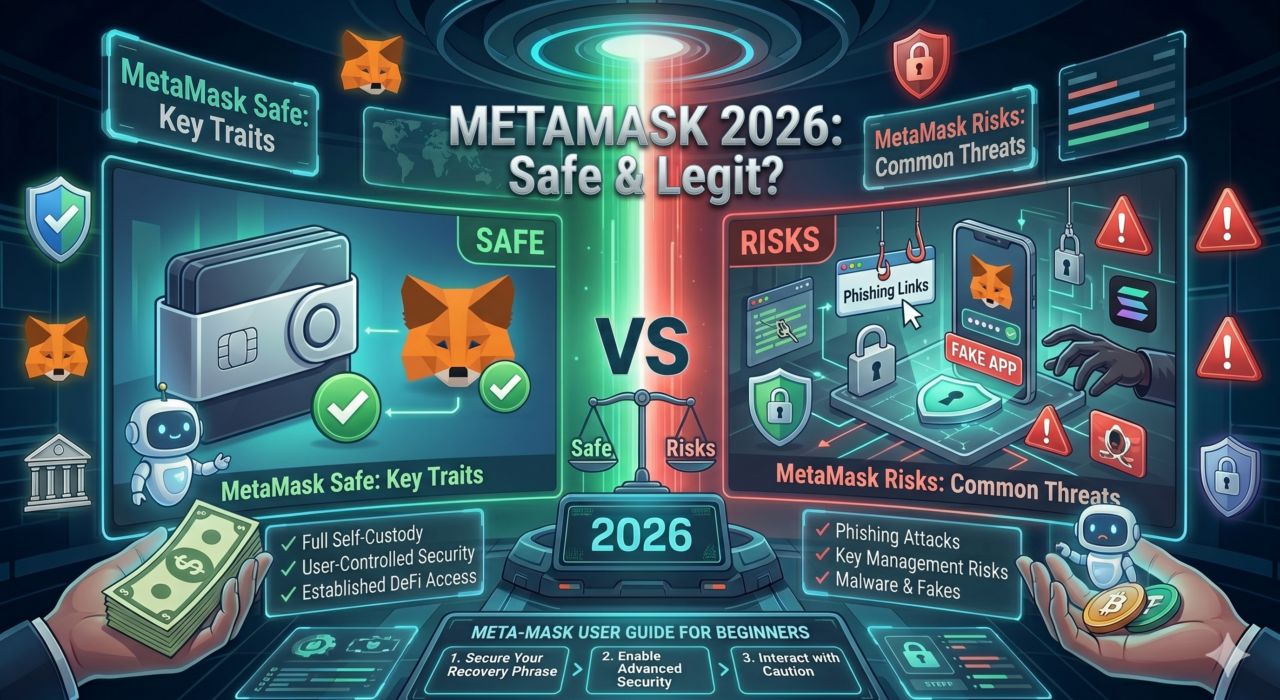
Most people who study Web3 technologies will eventually discover MetaMask. The application serves as the most popular cryptocurrency wallet which enables users to access decentralized applications. The first question which all new users ask about is MetaMask safe?. You can answer the question with a simple yes; however there exists one crucial condition which must be satisfied. Your security protection through MetaMask depends entirely on the security practices you maintain.
The guide provides all essential information which includes MetaMask operations details, its verification process, its historical security breaches, actual user threats, effective protection methods and complete guide to secure MetaMask usage from the first day of use. This guide serves as your complete MetaMask security resource for 2026 which you need to use for both installation and current security enhancement.
What Is MetaMask and How Does It Work?
MetaMask functions as a non-custodial cryptocurrency wallet which users can access through its browser extension that supports Chrome Firefox Brave and Edge and its mobile application designed for iOS and Android platforms. The application which ConsenSys developed became accessible to users in 2016. The Web3 wallet currently has more than 30 million active users who use it throughout the world, which makes it the most widely used Web3 wallet today.
MetaMask operates as a non-custodial service because it does not store any of your cryptocurrency. Your private keys remain exclusively on your device through local encryption. No company has access to your funds. The system operates differently from centralized exchanges because they retain your cryptographic keys which grants them control over your assets.
What Can You Do with MetaMask?
- Connect to DeFi tools – lending, borrowing, yield farming on platforms like Uniswap and Aave
- Buy or sell tokens directly through integrated DEX aggregators
- Access NFT marketplaces such as OpenSea
- Interact with dApps on Ethereum, BNB Chain, Polygon, and other EVM networks
- Send and receive assets such as ETH, ERC20s, and more
Is MetaMask Safe and Legit to Use Today?
The software functions as a reliable digital wallet which users trust throughout the world. The platform operates as open-source software which allows developers and security experts from all countries to examine its code. The platform has achieved usage by more than 10 million users who have conducted multiple transactions on the site. The MetaMask crypto wallet has never experienced a protocol-level hack where funds were stolen through the wallet’s own code.
MetaMask is safe at the protocol level. The risks come from how users interact with the broader Web3 ecosystem – not from the wallet itself.
Why MetaMask Crypto Wallet Is Considered Trustworthy
-
- Local private key storage – your keys never leave your device
- Open-source codebase – follows a process of being publicly audited and receiving community review
- Hardware wallet compatibility – works with Ledger and Trezor for maximum security
- Active security warnings – MetaMask alerts users about suspicious transactions and unverified sites
- Massive trusted user base – 30M+ users across every major blockchain ecosystem
MetaMask Security Incidents That Shaped User Awareness
No major platform is without a history of exploitation attempts. Understanding these incidents helps beginners know exactly what to watch for in 2026:
| Year | Incident | What Happened |
|---|---|---|
| 2019 | Fake Browser Extensions | Malicious Chrome extensions impersonated MetaMask and stole seed phrases from users who downloaded them from unofficial sources. |
| 2020 | Mobile Phishing Apps | Fake MetaMask apps appeared on app stores, tricking users into entering their seed phrases on fraudulent interfaces. |
| 2021 | Scam Token Websites | Fake DeFi websites offered token airdrops that required wallet connections - then drained funds via malicious contract approvals. |
| 2022 | iCloud Backup Risk | Researchers revealed that iOS users with iCloud backup enabled could have their MetaMask seed phrases backed up to the cloud - exposing them to account breaches. |
| 2023 | Phishing Pop-Ups | Sophisticated phishing overlays mimicked MetaMask transaction approval windows - tricking users into signing malicious transactions. |
| 2024 | Fake Support Scams | Fraudsters posed as MetaMask support agents on social media and Discord, requesting seed phrases under the guise of "wallet verification". |
Common Security Risks Every Beginner Should Know
You need to comprehend these five risk categories which will affect your MetaMask token transactions and DeFi tool usage before you begin.
- Phishing Links and Fake dApps
Dangers from phishing links that lead to fake decentralized applications. These fraudulent websites imitate real DeFi platforms. - Fake Browser Extensions
Counterfeit MetaMask extensions distributed through unofficial channels outside the Chrome Web Store and Firefox Add-ons page. - Seed Phrase Leaks
Occur when the 12/24-word recovery phrase is stored or shared digitally, such as via email, cloud notes, or screenshots. - Malicious Contract Approvals
Enable tokens to be given unlimited spending rights, which attackers can exploit for silent wallet draining. - Cloud Backup Risks for Mobile Users
iCloud or Google Drive backups may store encrypted wallet data. If the cloud account is compromised, wallet security may be at risk.
10 Practical Tips to Keep Your MetaMask Wallet Safe
- Keep Seed Phrase Confidential
The seed phrase must remain confidential and should never be disclosed to anyone, including support staff or friends. MetaMask will never ask for your seed phrase. - Use Hardware Wallets
Connect Ledger or Trezor devices with MetaMask for cold storage. Private keys remain secure because they stay inside the hardware wallet. - Verify dApps Before Use
Access verified dApps by bookmarking official websites. Avoid clicking links from social media or messages until the URL is carefully checked. - Install Official Extensions Only
Download MetaMask from metamask.io or the official browser store. Review extension ratings and publisher details before installation. - Disable Cloud Backups on Mobile
Turn off iCloud and Google Drive backups to prevent wallet data exposure through cloud breaches. - Use Official Support Channels
Access MetaMask documentation via metamask.io/faqs. No legitimate support agent will ask for your seed phrase. Check MetaMask app review. - Revoke Unused Token Approvals
Use Revoke.cash to check and remove inactive token permissions. - Maintain Device Security
Update operating systems and browsers regularly. Avoid using MetaMask on shared devices and create a dedicated browser profile. - Monitor Suspicious Activity
Take screenshots of unauthorized transactions or approvals and report them to support immediately. - Stay Updated on Web3 Security
Learn basic Web3 security practices since cyber threats evolve continuously.
Beginner Guide: How to Use MetaMask Securely
If you’re setting up MetaMask for the first time – or reviewing your existing setup – follow these four core practices:
Safe Setup Tips
- Download only from metamask.io – never from third-party download sites
- During setup, create a new wallet – do not import a phrase shared by someone else
- Enable the MetaMask password lock – set a strong, unique password for your local session
Seed Phrase Storage Best Practices
- Write your 12-word seed phrase on paper only – never type it into any digital device
- Store it in two separate physical locations (e.g., home safe and a trusted location)
- Never take a photo of your seed phrase – camera roll backups are a common leak vector
Connecting to dApps Safely
- Always verify the full URL before connecting your wallet – one character difference is all a phishing site needs
- Stick to well-known, audited DeFi tools with public security records
- When connecting, MetaMask will show what permissions the site is requesting – read them carefully before approving
Final Thought: Is MetaMask Safe Enough to Use in 2026?
MetaMask security receives confirmation through its designation as one of the most secure open-source wallets which has undergone extensive testing and achieved international recognition. The system protects your funds through its non-custodial design which prevents any organization from accessing your assets while it also provides advanced security through its compatibility with hardware wallets.
In 2026, Web3 security is a skill, not just a feature. The more you understand about how threats work – phishing, fake dApps, malicious approvals – the better protected you become. Use MetaMask with confidence, stay vigilant, and pair it with a trusted exchange like BTZO for all your crypto trading, staking, and investment needs.
Ready to Trade Crypto Safely? Start on BTZO Today!
Explore BTZO spot trading to buy or sell tokens with competitive fees, earn passive income via BTZO earn, or run automated strategies with BTZO AutoTrader.
FAQs
- Is MetaMask safe to store large amounts of crypto?
MetaMask works as a secure solution for daily use, but users need to protect their substantial cryptocurrency holdings through hardware wallet protection which includes Ledger and Trezor. Hardware wallets maintain private keys in an offline state, which creates better security against attacks that attempt to access keys from a distance.
- Can MetaMask be hacked?
MetaMask has not yet experienced any technical security breaches which allow attackers to steal user funds. The main security threats that users face originate from three sources which include phishing attacks and malware infections and seed phrase exposure. The implementation of basic security measures results in a significant decrease of risk to users.
- Can I connect MetaMask to BTZO?
Yes. BTZO supports MetaMask connections for deposits via Wallet Connect or direct connection, which helps users reduce their chances of making address entry mistakes. Visit www.btzo.com to start.