

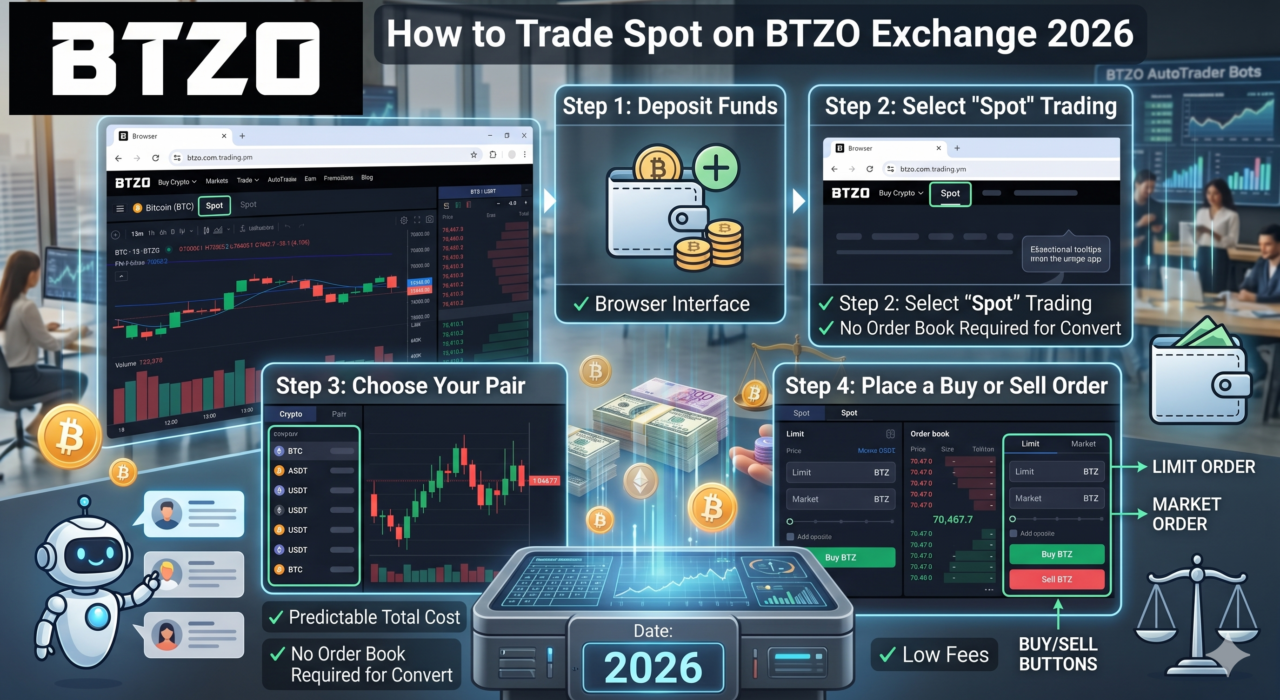
Crypto can feel complicated when you’re just starting out. But spot trading on BTZO is about as simple as it gets. You pick a coin, set your price or buy at the market rate, and the crypto lands in your wallet instantly. No leverage, no borrowing, no liquidation risk. You own what you buy.
This guide walks you through exactly how to trade spot on BTZO – on both desktop and mobile. Whether you’ve never placed a trade before or you’re switching from another exchange, this covers everything you need to start with confidence.
What Is BTZO Spot Trading?
Spot trading means buying or selling a cryptocurrency at its current market price. When the trade completes, the asset settles immediately into your spot wallet. You’re not trading contracts or speculating on price movements – you’re buying the real thing.
On the BTZO exchange, spot trading happens across a wide range of pairs. The most popular are BTC/USDT and ETH/USDT, but BTZO supports many more across its BTZO markets page.
Key things to know before you start:
- Funds go directly into your spot wallet after a trade
- No leverage is involved – you can only spend what you have
- There’s no expiry, no contract, no forced liquidation
- Spot trading fees on BTZO are 0.10% maker / 0.10% taker for standard accounts, with lower rates available through the VIP program
New to BTZO? You can register and start trading without KYC. No ID required to get started.
Also read: What Is Spot Trading in Crypto? Pros, Cons, and How to Profit Like a Pro
Step-by-Step Guide to Trade Spot on BTZO
Here’s how to place your first spot trade. The process is nearly identical on desktop and mobile – the layout just shifts to fit the screen.
Step 1: Log In and Check Your Spot Wallet
Go to btzo.com and log in. Once you’re in, head to Wallets → Spot to check your available balance. You’ll need USDT or another base currency in your spot wallet before placing any trade.
If your wallet is empty, you’ll need to deposit first. Go to Wallets → Spot → Deposit, choose your token and network (ERC20, TRC20, BEP20), and send funds from your external wallet. Once confirmed on chain, the balance shows up in your spot wallet automatically. You can also use BTZO Convert to swap one crypto for another instantly if you already hold a different asset.
Note: For a smoother and more secure trading experience, complete your KYC (identity verification) and enable 2FA (two-factor authentication). This helps unlock higher transaction limits, ensures faster deposits and withdrawals, and strengthens your account security. It only takes a few minutes and can prevent interruptions while trading.
Step 2: Open the Spot Trading Interface
Click Trade in the top menu, then select Spot. You’ll land on the main trading screen. Here’s what you see:
- Price chart – candlestick view with multiple timeframes (1m, 5m, 15m, 1h, 1D, and more)
- Order book – live buy (green) and sell (red) orders with price and size
- Recent trades panel – every executed trade in real time
- Buy / Sell panel – on the right side, where you place your orders
- Order history – at the bottom: Open Orders, Order Fills, TWAP Orders, and Spot Trade History
Step 3: Choose Your Trading Pair
Use the pair selector at the top to choose which asset you want to trade. For beginners, BTC/USDT on BTZO is the best starting point. High liquidity means orders fill quickly and the price spread stays tight.
Step 4: Pick Your Order Type
This is the point where most newcomers start to experience their first confusion. The order panel contains three tabs which are named Limit, Market and Advanced. The following list explains the functions of each tab.
Limit Order
You set the price you want. The order sits in the book until the market reaches it. Use this when you want a specific entry price and you’re not in a rush. If BTC is trading at $76,000 and you only want to buy at $75,500, place a limit buy at $75,500.
Market Order
Executes instantly at the current best price. Fast, simple, guaranteed to fill. The trade-off is you don’t control the exact price – in a fast-moving market, you might pay slightly more (or get slightly less) than the displayed price.
Advanced Orders
These are for adding risk controls to your trades. You don’t need these on day one, but knowing they exist is useful:
- Stop Limit / Stop Market – triggers a buy or sell when the price hits a threshold you define
- Take Profit Limit / Market – automatically sells when the price reaches your profit target
- OCO (One Cancels the Other) – sets a profit target and a stop-loss at the same time; when one triggers, the other cancels
- TWAP – splits a large order across time to avoid moving the market price
Quick reference for order types:
| Order Type | Speed | Price Control | Best For |
|---|---|---|---|
| Market Order | Instant | No - fills at best available price | Quick entries/exits |
| Limit Order | Waits for your price | Yes - you set the price | Planned trades, better value |
| Stop Limit | Triggers then waits | Yes - with a trigger | Risk management |
| OCO | Two orders at once | Yes - one cancels the other | Profit + stop-loss combined |
Step 5: Enter Your Trade Size and Place the Order
On the Buy side, enter how much USDT you want to spend – or use the percentage slider to allocate a portion of your balance (25%, 50%, 75%, or 100%). The system calculates the BTC amount you’ll receive automatically.
Double-check the total, then hit Buy Order. The trade executes and the asset appears in your spot wallet within seconds. Also when depositing funds, remember that BTZO has separate wallet types. For spot trading, you must deposit your funds into the Spot Wallet, not other wallet types like futures or earn wallets. This ensures your balance is ready and available for trading immediately after confirmation on the blockchain.
To sell, click the Sell tab, enter the amount of BTC (or whichever asset) you want to sell, choose your order type, and confirm.
Step 6: Track Your Orders
At the bottom of the screen, you’ll find:
- Open Orders – limit orders waiting to fill
- Order Fills – a record of completed trades
- TWAP Orders – if you’ve set up any time-weighted orders
- Spot Trade History – full log of every trade you’ve made
You can cancel any unfilled limit order from the Open Orders tab at any time.
Trading Spot on BTZO Mobile App
The BTZO app follows the same flow. Open the app, tap Trade → Spot, select your pair, choose your order type, enter the size, and confirm. The chart, order book, and order panel are all accessible from the same screen. Pinch to zoom on the chart, and tap the order book to autofill a price into your order panel.
Why Spot Trading Is Beginner-Friendly
Futures trading involves leverage, liquidation risk, and funding fees. Margin trading adds borrowed capital to the mix. Spot trading has none of that. What you see is what you get.
- You can’t lose more than you put in. There’s no leverage to amplify losses. If BTC drops 20%, your position drops 20% – not 200%.
- You own the asset. After buying, the crypto is yours. You can hold it, stake it through BTZO Earn, or sell it whenever you want.
- No expiry dates. Futures contracts expire. Spot positions don’t. You hold as long as you want.
- Simple mechanics. Two order types – market and limit – are enough to get started. The rest you can learn as you go.
When you’re ready to do more than just hold, BTZO’s AutoTrader lets you run AI-powered strategies on your spot holdings without manual trading.
Ready to Trade Spot on BTZO?
Spot trading is the cleanest way to start in crypto. Pick an asset, set your price or hit the market, and you’re in. The BTZO interface doesn’t overcomplicate it – the chart, order book, and buy/sell panel are all in one place and built for people who are just finding their feet.
Start with a small amount on a major trading pair of your choice on BTZO. Learn how market and limit orders behave. Once you’re comfortable, the advanced tools are right there when you need them.
Register on BTZO and place your first spot trade today – no KYC required, instant access to BTC/USDT and hundreds of other pairs.
FAQs
1. Do I need to complete KYC to trade spot on BTZO?
No. BTZO lets you register and start trading without KYC. Just create an account, deposit crypto, and you can access spot trading immediately.
2. What’s the difference between a market order and a limit order on BTZO?
A market order fills instantly at the current best price – fast, no price control. A limit order lets you set the exact price you want to buy or sell at, and the order waits in the book until the market reaches it. The beginners should start with limit orders because it allows them to control their purchasing costs better.
3. Where does my crypto go after a spot trade on BTZO?
Straight into your spot wallet. You can check it under Wallets → Spot. From there you can hold it, send it to another wallet, stake it through BTZO Earn, or sell it back any time.
4. What trading pairs are available for spot trading on BTZO?
BTZO offers a wide range of spot pairs including BTC/USDT, ETH/USDT, XRP/USDT, SOL/USDT, and more. For the full list, visit the BTZO markets page. High-volume pairs like BTC/USDT and ETH/USDT are the best starting point because they have tight spreads and fast order fills.