


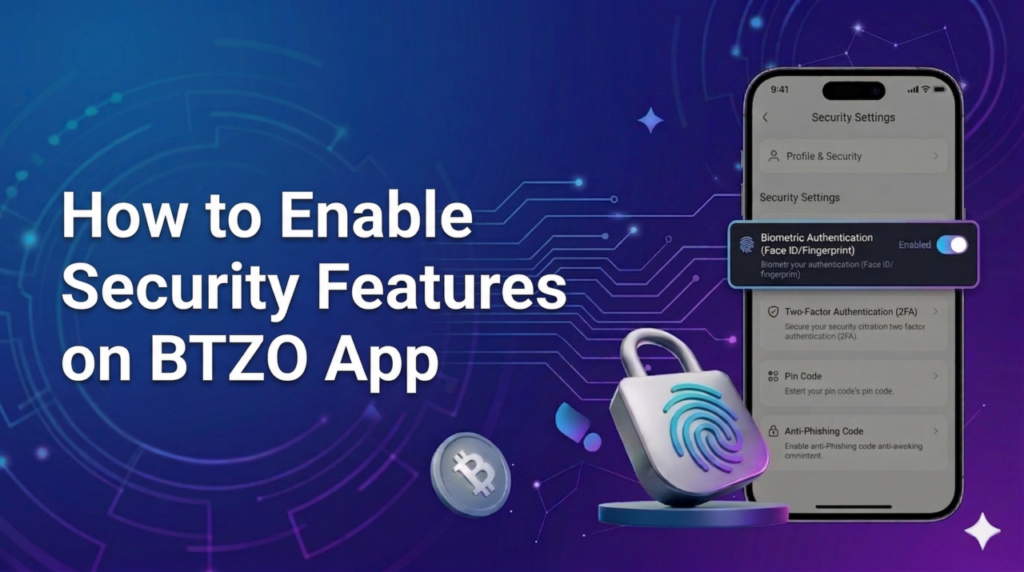
Crypto accounts hold real value. Crypto transactions, unlike bank accounts that offer fraud protection, cannot be reversed once confirmed. Because of this, the most important duty for everyone trading digital assets is security. Hackers are always searching for weak passwords, exposed accounts, and careless users. The btzo app security features provide strong defenses against these threats. The question Key Security Features Available on the BTZO App? has a clear answer: two-factor authentication, strong password protection, login verification alerts, withdrawal verification, biometrics, and anti-phishing codes all work together to keep accounts safe . This guide walks through enabling each feature and following best practices.
Why Security Matters in Crypto Trading Apps
Understanding why security deserves attention helps motivate action. Crypto transactions do not reverse. Send funds to the wrong place or lose access to an account, and the money stays gone .
Hackers specifically target crypto accounts. They know successful breaches pay well. Weak security on one account can lead to losses that take years to recover .
Mobile trading apps face unique risks. Phones can be lost, stolen, or infected with malware. Without proper protection, anyone who gains physical access might also gain account access .
Common hazards consist of:
- Phishing: Fake emails and sites trick users into giving away their passwords
- Password leak: When a user uses a single password for multiple sites, a hack into one site compromises multiple passwords
- Unauthorized access attempt: Hackers try to use the obtained password for various users’ accounts.
Security features like two-factor authentication stop most attacks cold. Even with a password, an attacker cannot log in without the second factor .
Key Security Features Available on the BTZO App
The btzo trading app includes multiple layers of protection. Each one serves a specific purpose in keeping accounts secure.
1. Two-Factor Authentication (2FA)
2FA adds a second check beyond just the password. After entering the password, the app asks for a code from an authenticator app like Google Authenticator . This code changes every 30 seconds. Even if someone steals the password, they cannot log in without the constantly changing code from the phone. It is one of the most effective security measures available .
2. Strong Password Protection
The app enforces password requirements during account creation. Passwords need length and complexity. Mixing uppercase, lowercase, numbers, and symbols makes guessing or brute-forcing much harder .
3. Login Verification Alerts
Whenever someone logs into the account from a new device or location, BTZO sends an alert. This could be an email or push notification . If the login was not authorized, the user knows immediately and can take action.
4. Withdrawal Verification
Withdrawing crypto adds another security step. After requesting a withdrawal, a verification code goes to the registered email. Entering that code confirms the request is legitimate . This prevents hackers from draining funds even if they somehow get into the account.
5. Biometrics
Fingerprint or face recognition adds convenience without sacrificing security. Once enabled, logging in requires biometric confirmation on the device . This prevents someone who knows the password from accessing the account without the actual phone owner present.
6. Anti-Phishing Code
Users can set a unique word or phrase in their account settings. All legitimate emails from BTZO will include this code . If an email claiming to be from BTZO arrives without the code, it is fake. This helps spot phishing attempts before clicking any links.
Step-by-Step Guide to Enable Security Features on the BTZO App
Enabling these features takes only minutes. Here is how to activate each one.
Enable Two-Factor Authentication (2FA)
- Log into the btzo exchange app
- Go to Account Settings or Security Center
- Find the 2FA option and tap Enable
- Open an authenticator app like Google Authenticator on the phone
- Scan the QR code shown on screen
- Enter the 6-digit code from the authenticator app to confirm
- Save the backup codes provided in a safe place (offline if possible)
Set a Strong Password
If the current password seems weak, change it:
- Go to Account Settings
- Select Change Password
- Enter current password
- Create a new strong password with mixed characters
- Confirm and save
Enable Login Verification Alerts
- In Security Settings, find Login Alerts or similar option
- Toggle the setting to On
- Choose alert method (email or push notification)
- Save changes
Set Up Withdrawal Verification
- Go to Security Settings
- Find Withdrawal Verification or Whitelist options
- Enable withdrawal confirmation
- Verify email address if not already done
- Each withdrawal will now require email confirmation
Enable Biometrics
- In Security Settings, find Biometric Login
- Tap Enable
- Follow phone prompts to scan fingerprint or face
- Confirm setup
Create an Anti-Phishing Code
- Go to Security Settings
- Find Anti-Phishing Code or similar option
- Enter a unique word or phrase
- Save the code
- Remember that legitimate BTZO emails will include this code
Best Practices for Securing Your Crypto Trading Account
Features only work when used correctly. Following these practices maximizes protection.
Use a Strong Password
Avoid obvious choices like birthdays or pet names. Use a mix of letters, numbers, and symbols. Consider using a password manager to generate and store complex passwords securely . Never reuse passwords across different crypto platforms.
Never Share Authentication Codes
No legitimate support team ever asks for 2FA codes or passwords. Anyone asking for these is running a scam . Keep codes private always.
Avoid Public Wi-Fi for Trading
Public networks in coffee shops, airports, or hotels may not be secure. Others on the same network could potentially intercept data. Use mobile data or a trusted private connection when accessing the btzo trading app .
Regularly Monitor Account Activity
Check account activity logs periodically. Look for unfamiliar logins or devices. If anything seems off, change passwords immediately and contact support .
Benefits of Securing Your BTZO Account
Taking these steps pays off in several ways.
1. Protection Against Unauthorized Access
2FA, biometrics, and strong passwords work together to keep attackers out. Even if one layer fails, others hold .
2. Safer Crypto Trading Experience
Knowing the account is secure allows focusing on trading instead of worrying about hacks. Peace of mind matters .
3. Secure Fund Transfers
Withdrawal verification ensures only the account owner can move funds out. Even if someone gets in, they cannot drain the wallet without the email confirmation .
Winding Up
Security is not optional when trading cryptocurrency. The irreversible nature of crypto transactions means one mistake can be final. Hackers actively target accounts with weak protection. The btzo app security features provide strong defenses, but only when enabled and used properly.
The BTZO App offers several easy-to-activate protection tools. Two-factor authentication blocks most unauthorized access attempts. Strong passwords resist guessing and brute force. Login alerts notify of suspicious activity. Withdrawal verification secures fund transfers. Biometrics add convenience without sacrificing safety. Anti-phishing code helps spot fake communications.