


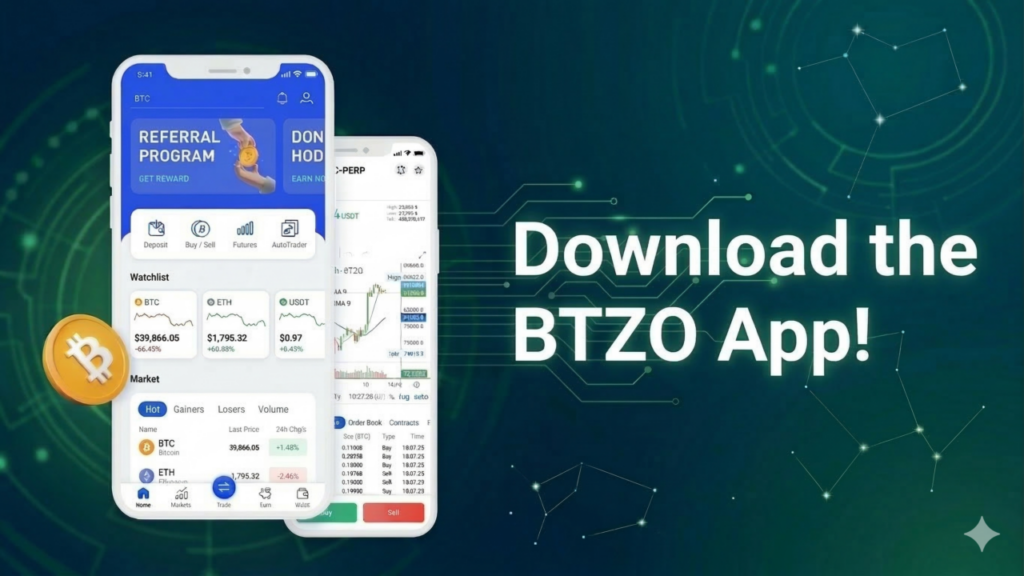
Mobile trading has revolutionized the way people interact with cryptocurrency exchanges. Rather than having to be in front of a computer, people can now use their mobile devices to monitor prices and open trades. The BTZO app brings this convenience to Android users with a fast, secure platform packed with features. The question Why Download the BTZO Trading App? has a simple answer: it puts spot trading, futures, automated tools, earning products, and a referral program all in one place, accessible anytime from a pocket . This guide walks through exactly how to download btzo app, install the APK file correctly, and get everything set up for trading.
Why Download the BTZO Trading App?
Crypto never sleeps. Markets run 24 hours a day, seven days a week. Having trading tools on a phone means never missing opportunities just because a computer is not nearby . The btzo trading app offers several advantages that make it worth installing.
1. Trade Anytime, Anywhere
Whether waiting in line, commuting, or relaxing at home, the app stays ready. Opening positions, checking prices, or closing trades takes seconds. This flexibility matters when markets move fast.
2. Real-Time Market Tracking
Price alerts, live charts, and order book updates keep traders informed. Watching markets in real time helps spot entries and exits as they happen.
3. Secure Wallet Management
Funds stay protected through built-in security features. The app uses encryption and gives users control over their own assets . Two-factor authentication adds another layer when enabled.
4. Multiple Trading Features
Beyond basic buying and selling, the app includes spot trading, futures with leverage, btzo autotrader for automated strategies, earn products for passive income, and a referral program to earn rewards . Everything lives in one place without switching between platforms.
How to Download BTZO App on Android
Getting the btzo apk download onto a phone requires visiting the official source. Following these steps ensures a safe installation.
Option 1: Downloading the APK File
- Step 1: Open the mobile browser on the Android device.
- Step 2: Go to the official BTZO website. The address is easy to find through a quick search or by typing it directly if known .
- Step 3: Look for the “Download App” section on the homepage. It usually appears prominently with buttons for Android download .
- Step 4: Tap the Android download button. The APK file begins downloading and saves to the Downloads folder automatically .
- Step 5: Once the download finishes, the file sits ready for installation.
Option 2: Scan QR Code
Some users prefer scanning a QR code for faster access. The BTZO website displays a QR code in the download section. Opening the phone camera and pointing it at the code brings up a link. Tapping that link starts the APK download immediately.
How to Login After Downloading the App
After installing the app, the next step is to configure access.
- Open the BTZO app: To launch the BTZO app, locate the icon on your home screen or app drawer and tap it.
- Tap Sign Up or Login. First-time users must set up an account. Returning users can login directly.
- Enter email and password: Provide a valid email address. Choose a password that mixes uppercase letters, lowercase letters, numbers, and symbols for better security .
- Verify the email: Check the inbox for a verification code from BTZO. Enter that code in the app to confirm ownership of the email address .
- Log in: Once verified, you can log in using your email and password.
- Enable two-factor authentication: Navigate to your account’s security settings and enable 2FA. This is usually achieved by scanning a QR code using an authenticator app and entering the code shown. A QR code with an authenticator app and entering the code shown. This secures the account in case an attacker knows the password.
The dashboard displayed after you have logged in and shows your portfolio value, recent activity, and quick links to trading features.
Also Read: Exploring the BTZO App Dashboard: Features Every New User Should Know
Security Tips for Downloading Crypto Trading Apps
Crypto accounts hold real value. Following security practices keeps funds safe.
-
Always download from the official BTZO website:
Third-party sites offering APK files cannot be trusted. They may bundle malware or modified versions designed to steal login details . Stick to the official source every time.
-
Avoid third-party download sites:
Forums, file-sharing platforms, and unofficial blogs sometimes host APKs. Downloading from these places risks installing compromised software .
-
Keep your device updated:
Android updates include security patches that fix known vulnerabilities. Running the latest version reduces risk .
-
Enable two-factor authentication after signing up:
2FA adds a second check beyond just the password. Even if someone gets the password, they cannot log in without the 2FA code from the authenticator app .
-
Use a strong password:
Reusing passwords from other sites creates risk. If another site gets breached, someone might try those same credentials on crypto apps .
Start Trading with the BTZO App
The process of getting started with the btzo app download stays simple from beginning to end. Visiting the official BTZO website, downloading the Android APK file, installing it on the phone, and setting up an account just takes a few minutes. After logging in and setting security features, the entire set of tools is available.
After installation, users can explore cryptocurrency markets, access spot and futures trading, create automated strategies with Autotrader, earn passive money through Earn products, and even invite others through the referral program. All of these functions are housed within an interface built to perform seamlessly on mobile displays.
The most difficult aspect is typically just taking the first step. Download BTZO app today from the official website and see how mobile crypto trading should feel.